Plainsea v1.3.0 is now live, introducing a foundational AI engine, new ways to capture and normalize security data, and full control over how your organization structures its vulnerability knowledge. This release is all about reducing manual work for pentesters, tightening feedback loops, and making Plainsea fit the way your security team already operates.
What’s New in Plainsea v1.3.0
Plainsea AI Engine: Intelligence Layer for the Entire Platform
The Plainsea AI Engine is now deployed as a core backend service that powers automation across the platform.
Instead of treating AI as a single feature, v1.3.0 introduces a unified AI layer that:
- Ingests raw evidence, technical notes, and unstructured observations
- Uses advanced inference models to generate validated Vulnerability and Informational findings
- Performs real-time summarization across scattered data points
- Grounds every output in the Plainsea Knowledge Base using Retrieval-Augmented Generation (RAG), ensuring technical accuracy and contextual relevance
In practice, this means less manual copy-paste, fewer missed details, and faster movement from “we saw something suspicious” to “here is a structured, report-ready finding with the right context.”
Notes: From Observations to Findings in One Click
The new Notes workspace brings a collaborative, flexible way for teams to think and work inside Plainsea.
Notes are designed as portable, synced components that allow pentesters and security teams to capture:
- Observations from testing
- Hypotheses and follow-up questions
- Evidence details and context
With v1.3.0, Notes are deeply integrated with the Plainsea AI Engine. From any note, you can trigger a single-click action that:
- Sends the note’s content and context to the AI Engine
- Automatically extracts the relevant technical details
- Instantly generates a structured Vulnerability or Informational finding inside Plainsea
This decouples data capture from reporting logic. Teams can work fast and freely in Notes, and only when they’re ready, convert what matters into formal security artifacts – without rewriting anything.
Imports: Seamless Nessus Ingestion and AI-Assisted Conversion
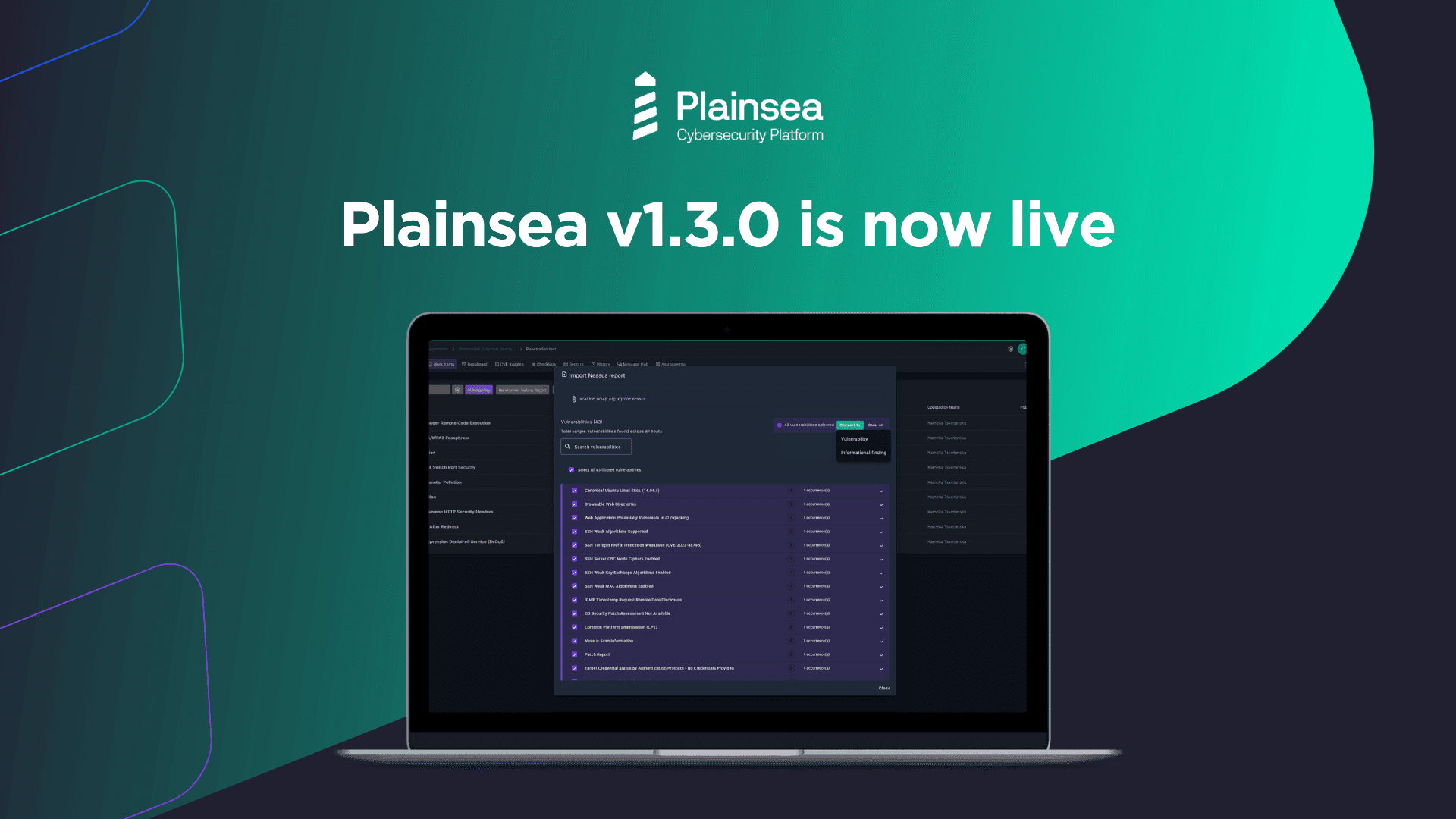
Plainsea v1.3.0 also introduces a new Imports module, built to streamline ingestion of external security data into native platform assets.
In this release, Imports supports:
- Direct loading of Nessus export files into a dedicated staging area
- Review and triage of raw scan data before it becomes part of your official assessment
- Conversion of selected Nessus findings into Plainsea Vulnerability or Informational objects with a single click
The Plainsea AI Engine powers AI-driven mapping from external schemas to your internal structures. It parses and enriches imported data, automatically populating native fields and reducing repetitive manual work.
The result: your scan data, manual testing, and reporting all live in one ecosystem, with less friction and fewer opportunities for inconsistency.
Plainsea Knowledge Base CMS: Now Generally Available
The Plainsea Knowledge Base CMS is now generally available, giving customers much deeper control over how security knowledge is modeled in the platform.
With v1.3.0, administrators can:
- Define and maintain proprietary vulnerability taxonomies
- Configure Vulnerability attributes such as:
- Categories
- Types
- Statuses
- Remediation options
- Customize engagement-level parameters including:
- Access Levels
- Locations
This creates a flexible data extension layer on top of the core Plainsea dataset, so your reports, workflows, and AI outputs align with your internal standards, industry frameworks, and preferred terminology.
For teams under strict governance or audit pressure, this means Plainsea can mirror your own definitions instead of forcing you into a one-size-fits-all model.
UX Enhancements
Faster Search in Vulnerability Category and Type Fields
To speed up everyday workflows, v1.3.0 introduces search-as-you-type in the Vulnerability Category and Type fields. Security professionals can now quickly locate the right classification values without scrolling through long lists, improving both speed and consistency.
Image Captions for Evidence
You can now add captions to images across the platform. This small but impactful enhancement makes it easier to:
- Clarify what a screenshot represents
- Provide context for auditors and stakeholders
- Maintain cleaner, more readable evidence trails
Workflow Improvements
Quick Navigation from Workspaces to Activities
Navigating from high-level view to execution just got easier. From each Workspace, there is now a streamlined way to access all related activities with a single click. This keeps teams closer to the work in progress and reduces time lost in navigation.
Smarter Vulnerability Edit Screen
The Vulnerability edit screen has been improved to better support security specialists:
- It now surfaces data inconsistencies and highlights missing or problematic inputs
- Provides inline tips to help users resolve issues and meet data quality expectations
- Adds expand/shrink controls for different sections, improving focus and readability when working with complex findings
These changes are designed to elevate the overall quality of vulnerability data while reducing friction for analysts.
Stability and Bug Fixes
This release also includes a number of fixes and refinements across the platform, including:
- More consistent display and wording in CVE Insights
- Clearer validation and indication for mandatory fields during vulnerability creation
- Improved behavior of filters, checklists, and entity lists
- Better visual consistency and UX polish in several UI components
Taken together, these improvements make Plainsea more predictable, more reliable, and easier to use in day-to-day operations.
Availability
All Plainsea v1.3.0 features and improvements are now available on the platform.
Have questions? Our support team is here to help.